Adult Education & Noncredit

More than 80 noncredit sections are offered each semester at over 20 sites throughout Merced County and the surrounding area. More than 2,000 students take advantage of noncredit classes to improve their quality of life in a variety of ways.
Noncredit vs. Non-for-credit
The Noncredit and Adult Education Program Office offers noncredit classes, which are free, 0-unit classes. On the other hand, the classes offered by the Community Services department, which are also noncredit classes, are not free and are financed entirely with what the students pay.

Career Advancement Academy
Click the links below to find out more information about our Career Advancement Academy!
Three Easy Steps to Register for Noncredit Classes:
Create an account or log into an existing CCC Apply account (don’t remember your password) and complete the application. Be sure to select our Adult Education-Noncredit only program when completing the application. Watch the step-by-step video.
Tip: If you don’t receive your welcome email within 48 hours, please email [email protected].
You are not registered for any classes at this point. You must continue to step # 2. Creating an account and completing the application only admits you to Merced College.
Continuing Student
Within 24 hours you will receive an email confirming we received your application (check spam or junk email folder).
A second email will follow with your student ID#, your student email, and username.
Two easy ways to enroll:
- Via Webadvisor for Students in the student portal. Your initial password is your date of birth in the MMDDYY format
- Via the Schedule Request Form. Watch the step-by-step video. Complete and email form to [email protected] or bring it in person at 630 W 19th St. Merced, CA 95340
- If our office sends you the schedule request form to your email watch this video on how to sign it electronically.
Connect to your class(es) in Zoom via Canvas:
- Reach out to the Students Helps Desk if you need assistance logging in to Canvas/Zoom
- Join their Zoom. Open M-F 8am-5pm: 347 946 9840 Password: 1234
- Call at: 209-381-6514
- Email [email protected] with your name and Student ID#

Multifactor Authentication Required
All students must complete the following instructions to set up the Microsoft Authenticator Application to access Canvas, the student portal, and their school email. Open the link depending on the kind of cellphone you have, iPhone or Samsung Galaxy.
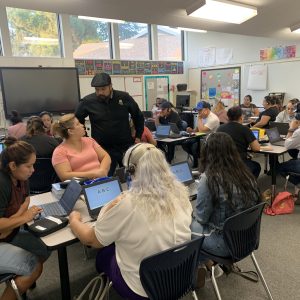
Enroll Today!
Check the class schedule and enroll today. Classes are free!
Need help with your application and registration? Contact us at 209-381-6540 or [email protected].
Office Location
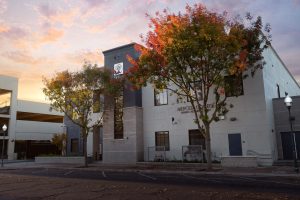
Merced College Business Resource Center
630 W 19th Street
Merced, CA 95340
Phone: (209) 381-6540
Fax: (209) 381-6544
Office Hours:
Adult Education & Noncredit Contact Us
Contact
-
Denise Edwards
Administrative CoordinatorAdult Ed / Non-CreditMailstop 58 -
Salvador V Lomeli JR
Office TechnicianAdult Ed / Non-Credit Mailstop 36
 -
Maria K Narvaez-Flores
Manager Adult Education and Non-CreditAdult Ed / Non-Credit Mailstop 58