Student Records Release (FERPA)
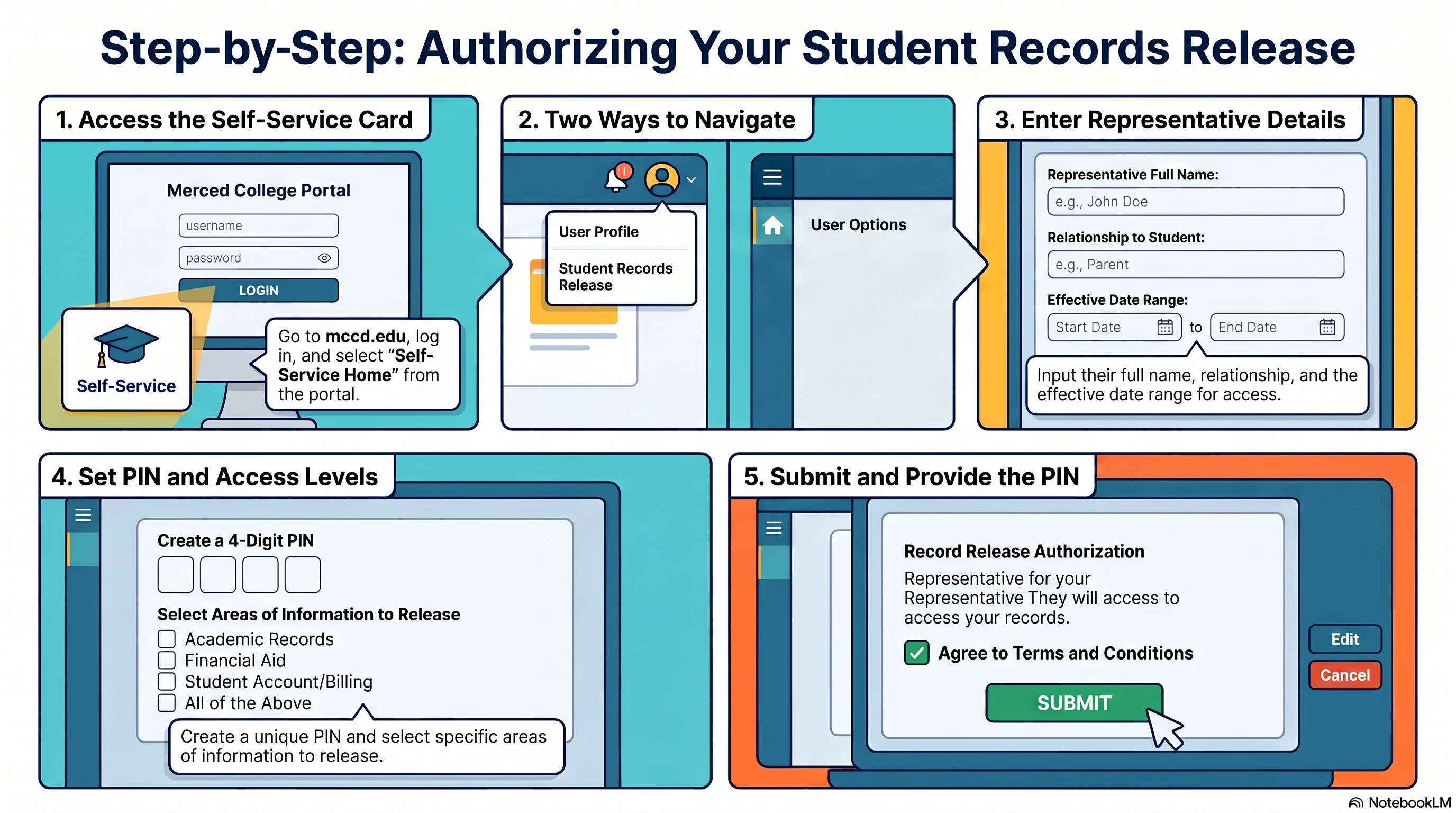
The following steps clarify how students can authorize the release of their student records through Merced College Self-Service.
The five steps are:
- Access the Self-Service card through the Merced College portal;
- Navigate to Student Records Release through the user profile or menu;
- Enter the representative’s full name, relationship to the student, and effective date range;
- Create a four-digit PIN and select the areas of information to release. Email pin to authorized individual;
- Review the authorization, agree to the terms and conditions, and submit the request.